

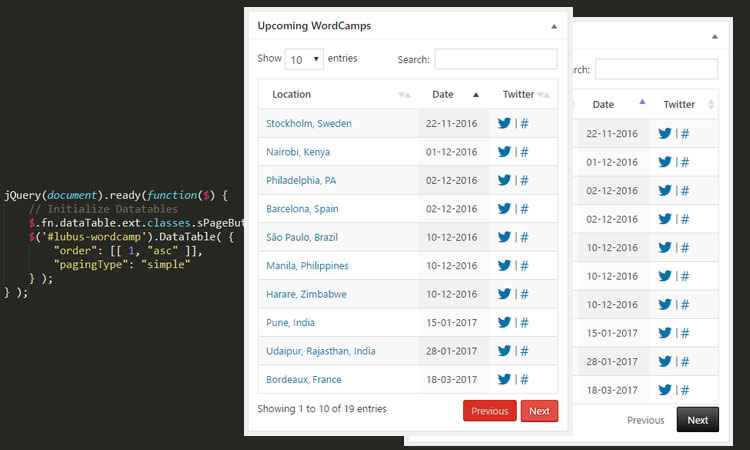
DataTables.js is a popular jQuery plugin for HTML tables that lets you add pagination, instant search, and multi-column ordering. Recently, we have been working on a WordPress plugin that required the use of DataTables to add the jazz to the table output. It helped us quickly add pagination, search & sorting functionality. We used it for one of our plugins, “WordCamp Dashboard Widget”. The default UI provided by DataTables is good, but we wanted it to be in line with WordPress. We tweaked a few elements with a CSS override. But the pagination button would need classes to be modified to change the UI, so we went through the documentation and various other pages, but were not able to figure out the way to do it.
Finally, we posted our query on the support forum for help, and they were quick to help us with the solution, so sharing the same for other fellow developers. DataTables are flexible enough to have this customization by simply overriding the classes before initializing the DataTables. Check out the gist below for the code –
[wpgist id=”d84fe79142b8408b5e685206ead4a07d”]
Want to know more or dive into the code, or want to know how to change default values for other elements? Check out the ext.classes.js.
Hope this helps someone & saves time 🙂