
Fast, Frictionless Local Development for Frappe
A desktop app that manages your Frappe benches, sites, and custom apps. Visually driven, isolated by Podman, and built to get you coding instantly.
Get Notified
Beta
macOS
Windows
Coming Soon
Linux
Actions to Speed Up Development
Skip the terminal access essential development tools directly from the UI.
.
VS Code
Open entire bench codebase directly in your editor.
Scoped Terminal
Open a CLI routed specifically to your active site folder.
Database Migrate
Run site migrations without remembering commands.
Clear Cache
Purge your site’s cache instantly with a single click.
Key Features
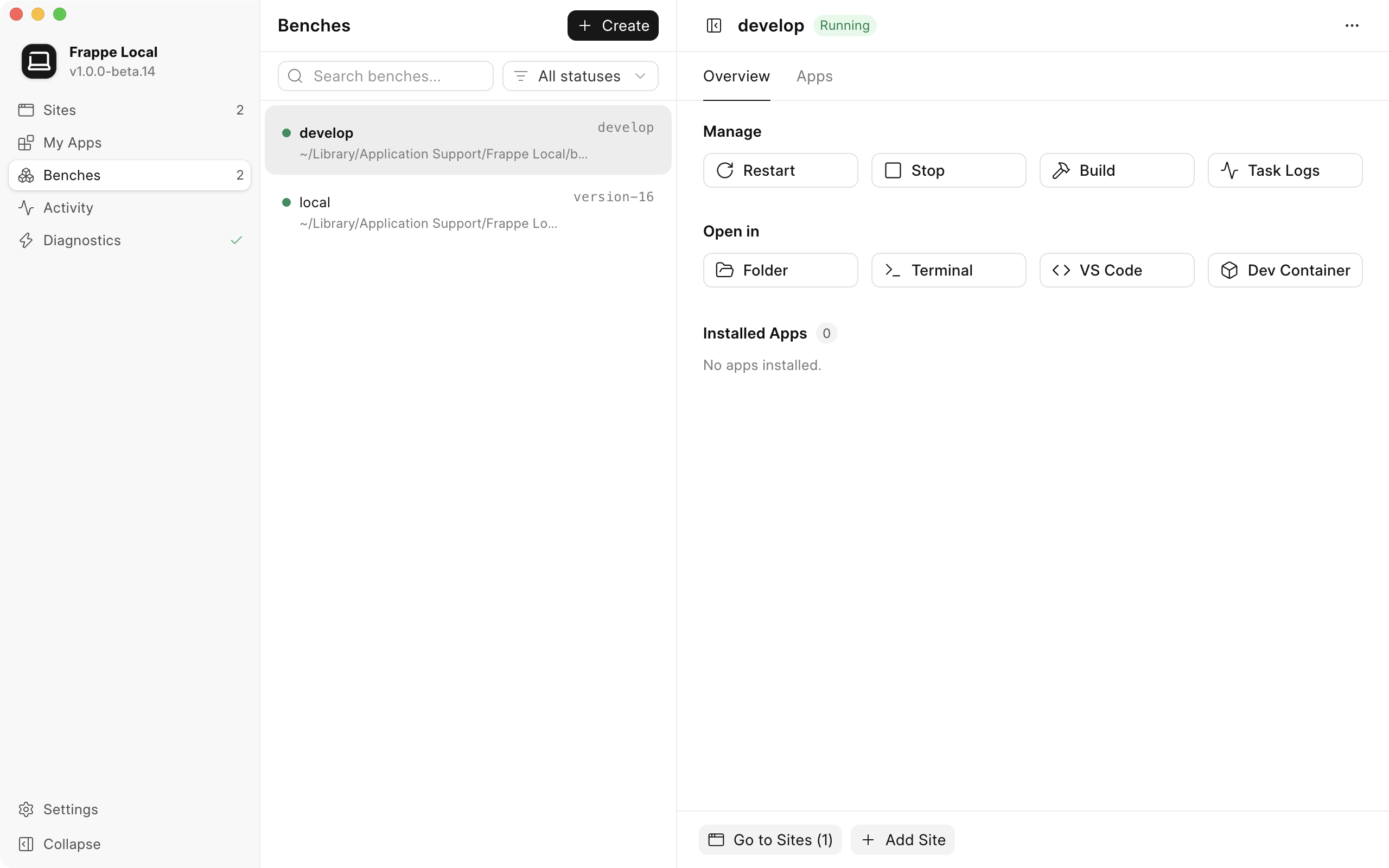
Bench Management
Spin up isolated benches with a single click—no Docker configuration required. The Bench Overview panel puts your workflow front and center, letting you instantly open your bench directly in VS Code or launch a Devcontainer to start coding without missing a beat.
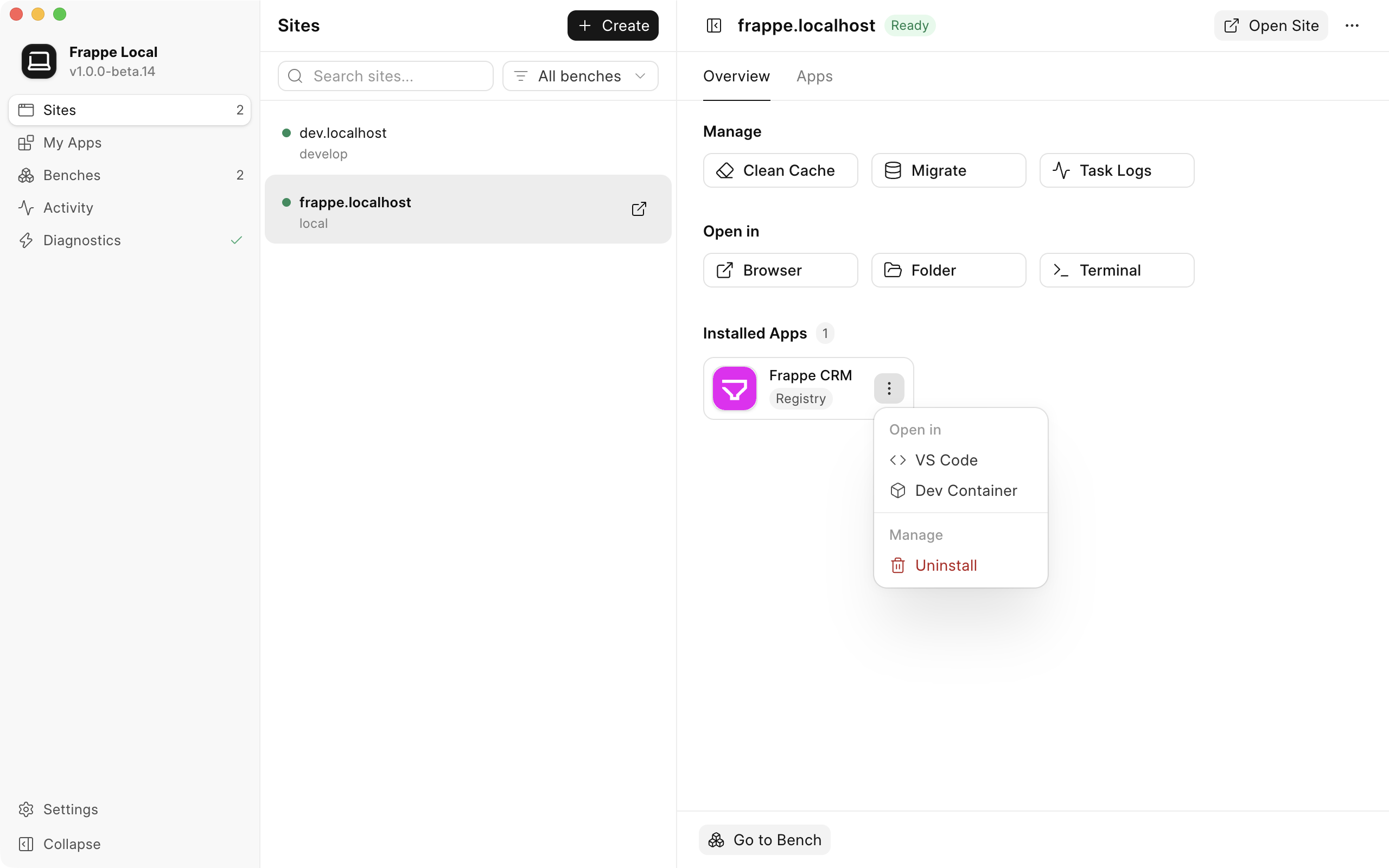
Site Management
We surfaced repetitive commands directly in the Site Overview. Instantly trigger a Database Migration, Clear Cache, or launch a Terminal shell that is automatically scoped and routed directly to that specific site. Plus, built-in routing automatically provisions SSL certificates for all your *.localhost sites so you can test securely.
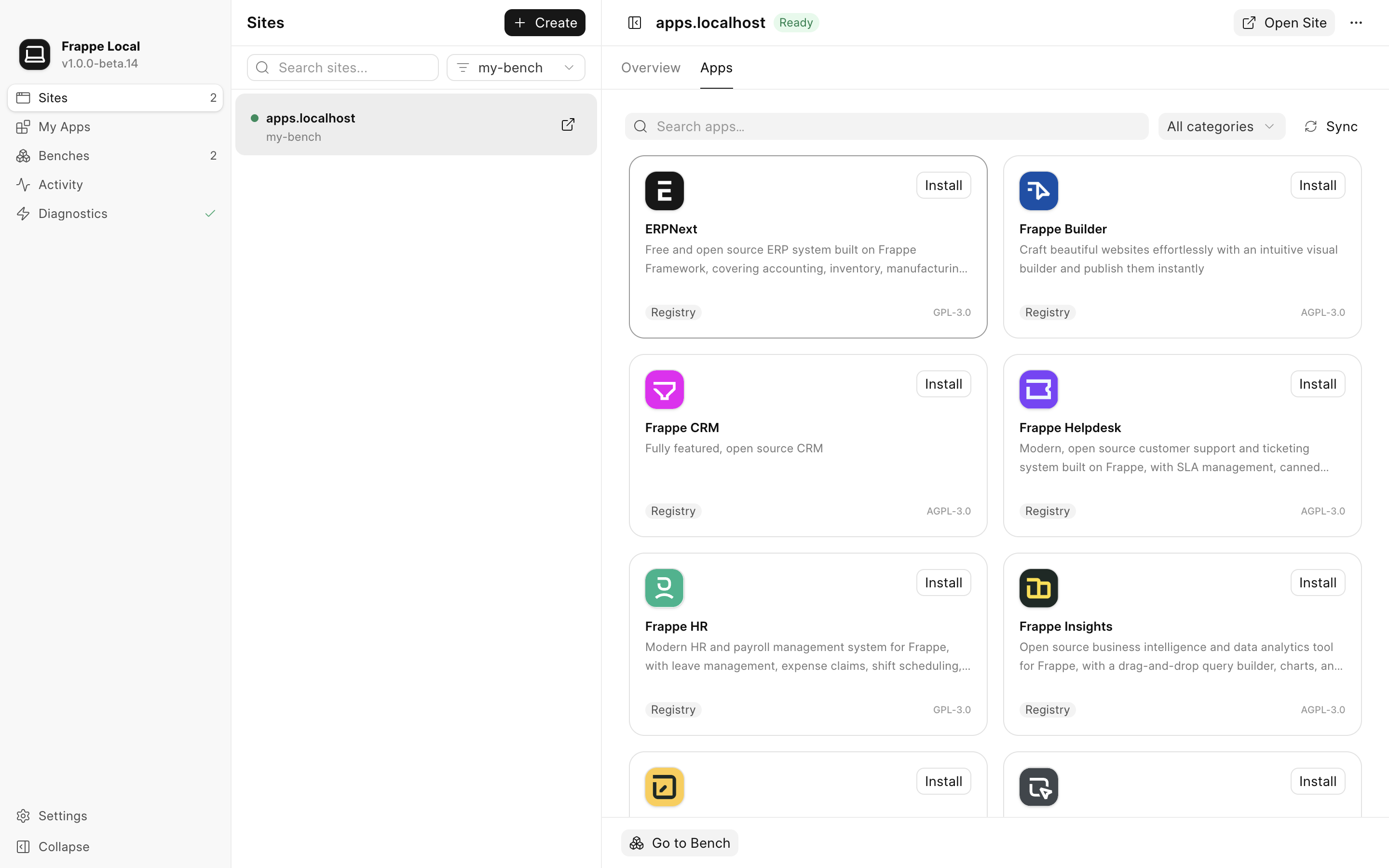
App Management
Browse and 1-click install standard apps like ERPNext, Frappe CRM, and Frappe Wiki directly from the integrated Frappe Brewery catalog.
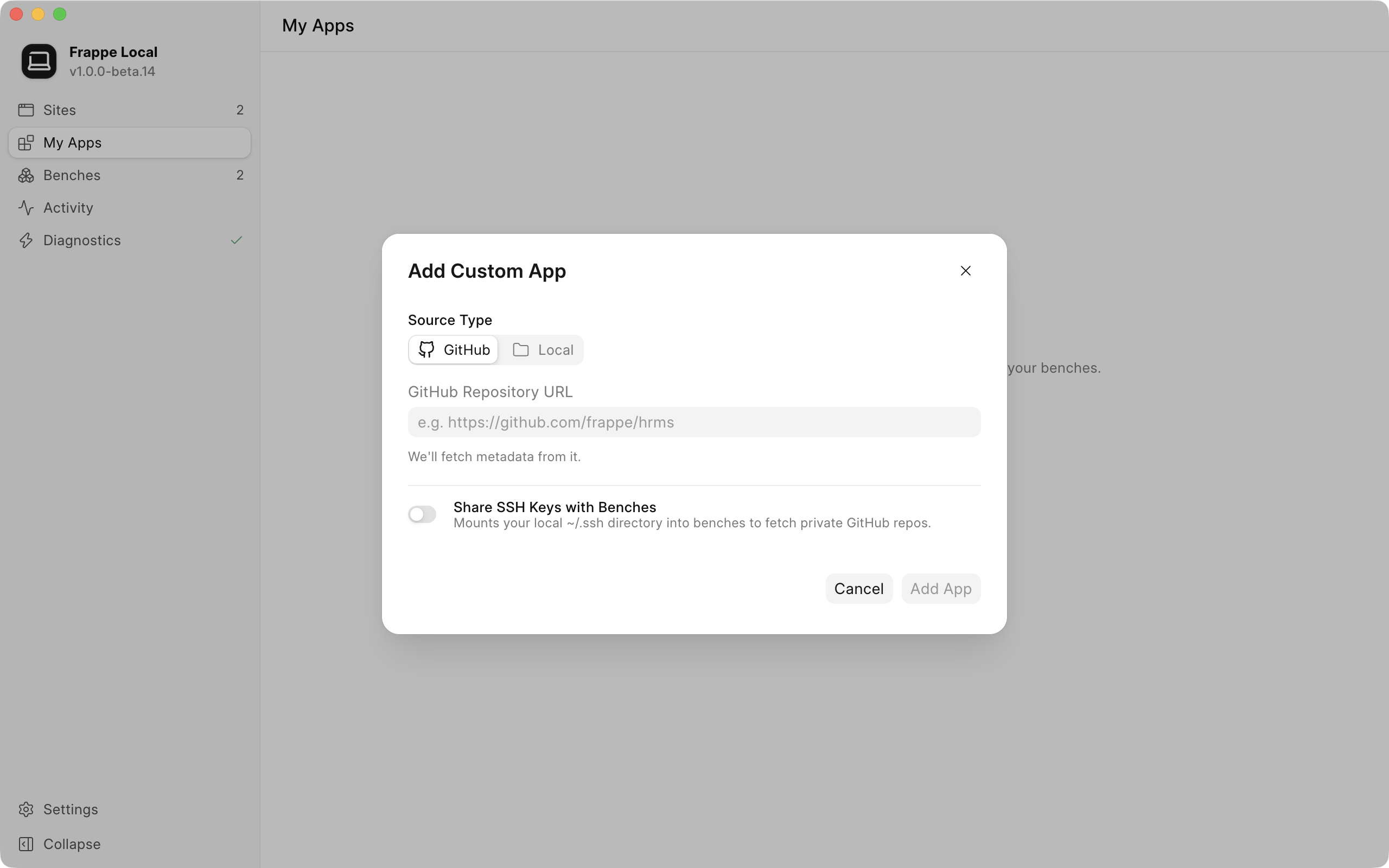
Custom Apps
Seamlessly pull and register custom Frappe apps directly from public or private GitHub repositories, or mount them from your local file system. Add your custom apps to any site to test logic and UI changes live in a production-like local environment.

Diagnostics
Track all system tasks, bench commands, and background operations in a unified real-time Activity Stream. The built-in Diagnostics module monitors your environment and provides a 1-click “Fix” button to automatically repair broken states, network issues, or macOS Gatekeeper blocks.
Why Choose Frappe Local
Build, test, and manage Frappe without environments setup hassle or typing commands.
Typical Local Development
– Complex Docker setup
– Dependency version conflicts
– Cryptic terminal errors
– Manual SSL generation
– Scattered background logs
Frappe Local
– Zero-config isolated VMs
– Visual native interface
– 1-click Quick Actions
– Automatic local HTTPS
– Free & Open-source
Built in the open
Frappe Local is 100% open source under the MIT license free on unlimited sites, full source on GitHub. Found a bug or want a feature? Open an issue. Want to contribute? Pull requests are welcome.
Questions Before You Start?
It’s built for developers, agency teams, and open-source contributors who want a frictionless, standardized local development environment for Frappe and ERPNext applications without the overhead of system administration.
Yes, Frappe Local is 100% free and open-source, released under the MIT License and maintained by LUBUS.
No. Frappe Local handles all dependencies inside its isolated virtual machine. You don’t need to clutter your host computer with specific Python, Node, or Redis versions.
Absolutely. You can add custom apps in two ways: directly from a GitHub repository URL, or by mounting a local directory from your computer.
The very first time you create a bench, Frappe Local initializes a dedicated Podman virtual machine and downloads the necessary Linux images. Depending on your internet connection, this one-time setup can take a few minutes.
No! While Frappe Local uses Podman (a lightweight container engine) under the hood to isolate your environments, it is entirely abstracted away. You won’t need to write a single Dockerfile or run complex CLI commands.