
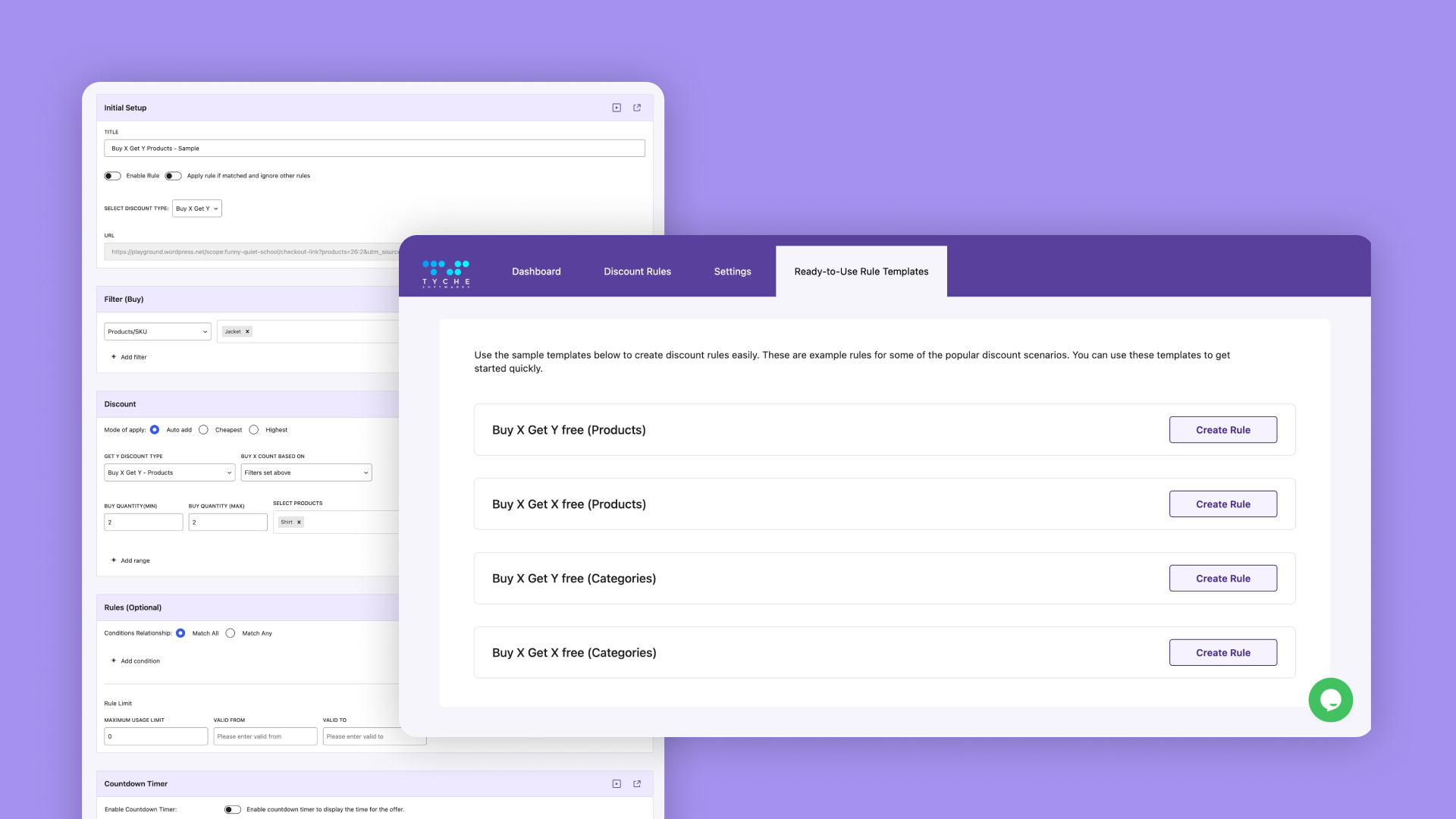
Tyche Softwares develops WooCommerce plugins that help businesses manage bookings, appointments, abandoned carts, checkout experiences, and other important ecommerce workflows.
We collaborated with their team to bring Block Editor compatibility to the Bookings and Appointments plugin. The plugin already had a mature booking engine, but its page-building experience needed to evolve with modern WordPress.
We developed a custom block that allowed users to add and configure booking calendars directly inside the editor while continuing to rely on the plugin’s existing booking rules and WooCommerce integration.
Business Context
Bookings and Appointments enables businesses to turn WooCommerce products into bookable services or resources. Store owners can manage availability, configure booking rules, display calendars, and accept reservations through familiar WooCommerce workflows.
As WordPress shifted from shortcodes and fixed content fields toward block-based editing, the way users expected to work with plugin functionality changed as well.
Tyche wanted the booking experience to feel more at home in the modern WordPress editor without rebuilding functionality that was already proven and working reliably.
Modernizing the Editor Without Rebuilding the Booking Engine
The challenge was not booking functionality itself. The plugin already handled availability, booking rules, calendar behaviour, and WooCommerce integration.
What needed to change was how users brought that functionality into their pages.
Users needed a native way to discover, insert, and configure the booking calendar while building a page in the Block Editor. At the same time, duplicating booking rules inside the block would have created two sources of truth and made the plugin harder to maintain.
The block therefore needed to modernize the editing experience while remaining connected to the plugin’s established booking engine.
A Native Block for Booking Calendars
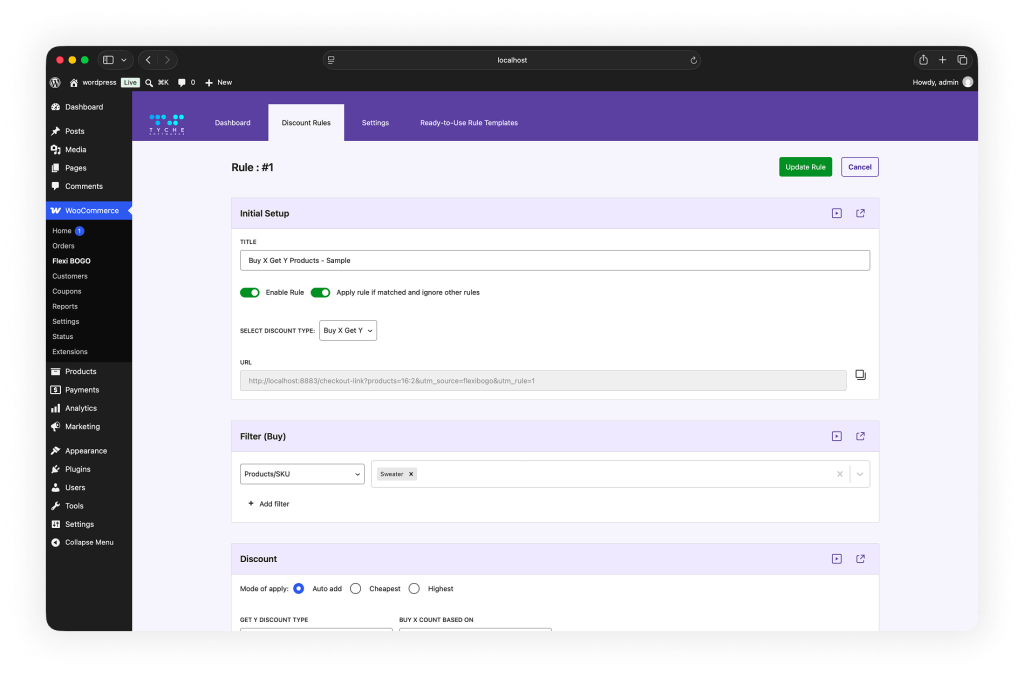
We developed a dedicated WordPress block for the Bookings and Appointments plugin.
Instead of relying only on older insertion workflows, users could find the booking block through the WordPress inserter, place it naturally within a page layout, and configure the relevant options from the editor.
The block acted as an editor-facing layer over the existing plugin rather than a separate implementation of the booking system.
Booking rules, product settings, calendar behaviour, and WooCommerce workflows continued to be managed by the plugin’s established logic. This kept the editor and frontend experience aligned while avoiding unnecessary duplication.
For users, the result was a more familiar and visual page-building workflow. For Tyche, it provided Block Editor compatibility without compromising the architecture behind an existing product.
Key Work Delivered
01.
Custom Bookings and Appointments Block
We developed a dedicated block that allowed users to insert the booking calendar directly within the WordPress Block Editor.
02.
Visual Editor Experience
Relevant booking options were surfaced within the editing experience, reducing the need to move between disconnected interfaces while building a page.
03.
03. Existing Booking Engine Integration
The block remained connected to the plugin’s existing booking rules, calendar behaviour, product configuration, and WooCommerce workflows rather than recreating that logic inside the editor.
04.
04. Existing Workflow Compatibility
The implementation extended the plugin for modern WordPress while preserving the established workflows its existing users already relied on.
05.
Technical Documentation and Handover
We documented the block implementation, development setup, important technical decisions, known considerations, and handover details so Tyche’s development team could maintain and extend the work internally.

The Result
The Bookings and Appointments plugin gained a more native presence inside modern WordPress.
Site owners could now incorporate booking calendars into pages using the same block-based workflow they used for the rest of their content, making booking functionality easier to discover and more natural to work with during page creation.
Most importantly, this improvement did not require replacing or duplicating the booking system behind the plugin. The new editor experience continued to build on Tyche’s existing booking and WooCommerce foundations.
Operational Impact
The custom block reduced the gap between plugin functionality and page creation.
Instead of treating the booking calendar as an isolated feature inserted through an older workflow, users could incorporate it naturally into service pages, landing pages, and other content built with the Block Editor.
For Tyche, the implementation provided a practical path toward supporting the evolving WordPress editing experience while protecting the mature functionality already built into the product.
The technical documentation and handover also gave their internal team the context required to maintain the block and build on it as the plugin evolved.
“We worked with the Lubus team on one of our plugins. We approached them because we needed specific expertise in custom Gutenberg block development, among other things. We were very happy with the outcome they delivered – the code was clean, their processes were consistently followed, and they lived up to our expectations. We’re always looking for opportunities to work with them again in the future. I highly recommend the team at Lubus!”

Vishal Kothari
Founder
The Final Takeaway
Block Editor compatibility is about more than replacing a shortcode or legacy insertion method with a block.
For an established WordPress product, the better approach is often to modernize the interface around proven functionality rather than rebuild the functionality itself.
By introducing a dedicated booking block, we helped Tyche bring Bookings and Appointments into the modern WordPress editing experience while preserving its existing booking engine and WooCommerce workflows.
The result was a cleaner experience for users and a maintainable foundation for future Block Editor improvements.
Ready to Bring Your Plugin Into Modern WordPress?
Tell us what’s working, what’s holding the editing experience back, and where you want to take the product next – we’ll help you figure out the sensible next step.