
The BlaBlaBlocks Formats plugin really started with us running into the same roadblocks on client projects. We kept thinking, ‘there has to be a better way.’ During team brainstorms, we started tossing around ideas. We wondered if we were pushing the Rich Text Format API way beyond what it was built for. That curiosity turned into little experiments, which turned into bigger ones, until suddenly we had something real. BlaBlaBlocks grew out of that mix of solving day-to-day client needs, building a powerful open source text formatting plugin WordPress creators can truly rely on, and just geeking out over what was possible.
We are beginning with two powerful effects: Marker and InfoTips. This is just the beginning of our vision to expand the BlaBlaBlocks suite with more creative, reusable text effects over time.
Why We Built It
In past client projects, one inquiry kept popping up: “Can you make this text stand out more?”
Designers and content creators require effects that capture attention. Our text formatting plugin WordPress users can depend on, makes this even easier. Such effects are essential for enhancing interactivity. This is particularly important in various contexts, including section headers, calls-to-action on landing pages, and key sentences in blog posts.
Traditionally, this meant writing custom code or adding external libraries, neither ideal for readability or simplicity. We wanted to change that.
With BlaBlaBlocks Formats, these enhancements are just a click away inside the editor. No coding, no hassle—just straightforward formatting options.
How It Works
Under the hood, the plugin uses the Rich Text Format API. This is the same foundation powering text formatting in the WordPress Editor.
For more advanced effects, we use Web Components as a proxy layer. This lets us pass custom attributes to text selections, which then show as interactive or animated HTML elements.
Put simply: select your text, choose an effect, and let the plugin do the rest.
What’s Inside (So Far)
Marker
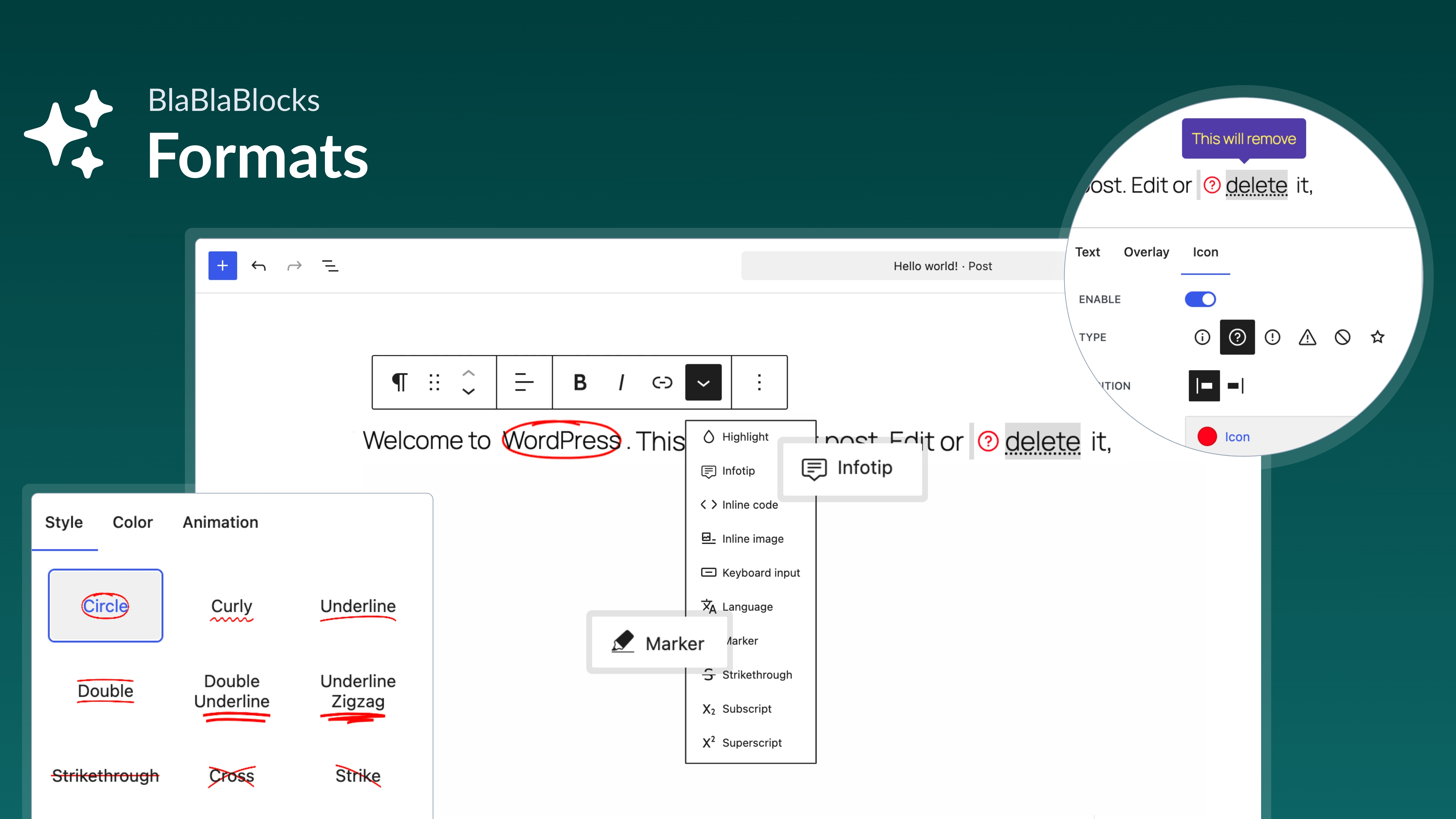
The Marker effect adds animated highlights around selected text.
- Pick from multiple preset animations
- Adjust speed, color, and style
- Perfect for drawing attention to keywords, headers, or important points

InfoTips
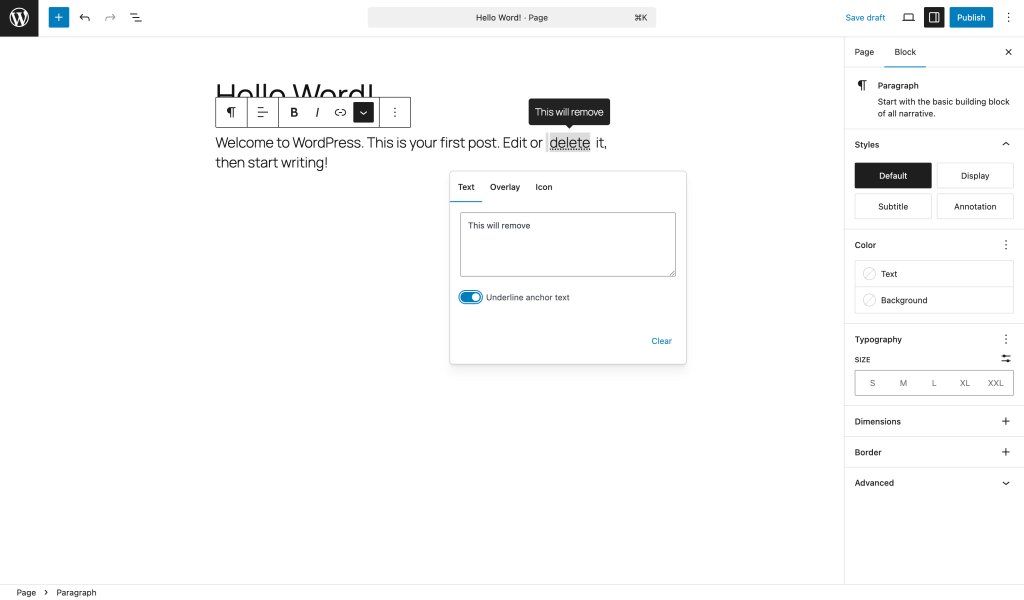
The InfoTips effect makes it easy to attach tooltips to text.
- Add quick explanations or context
- Improve readability without cluttering the design
- Great for glossaries, FAQs, or product descriptions
What’s Next
This launch is just the start. We’re beginning with Marker and InfoTips, but more text effects are already on our roadmap.
We’d love for you to try the plugin. Please share your feedback. Tell us what effects would make your content shine even more.
👉 Stay tuned for updates, tutorials, and plenty more BlaBlaBlocks magic.