
Build and Manage Popups Inside WordPress
Create different popup types, add your content with native blocks, and control when each popup should appear all from the WordPress admin.
5 Ways to Display Popup
Modal
Focused content in the centre of the screen.
Slide-in
Bring attention from the edge without covering the entire page.
Toast
Show compact notifications without interrupting the page.
Floating Bar
Keep announcements and calls to action visible.
Fullscreen
Use the full viewport when the message deserves full attention.

Key Features
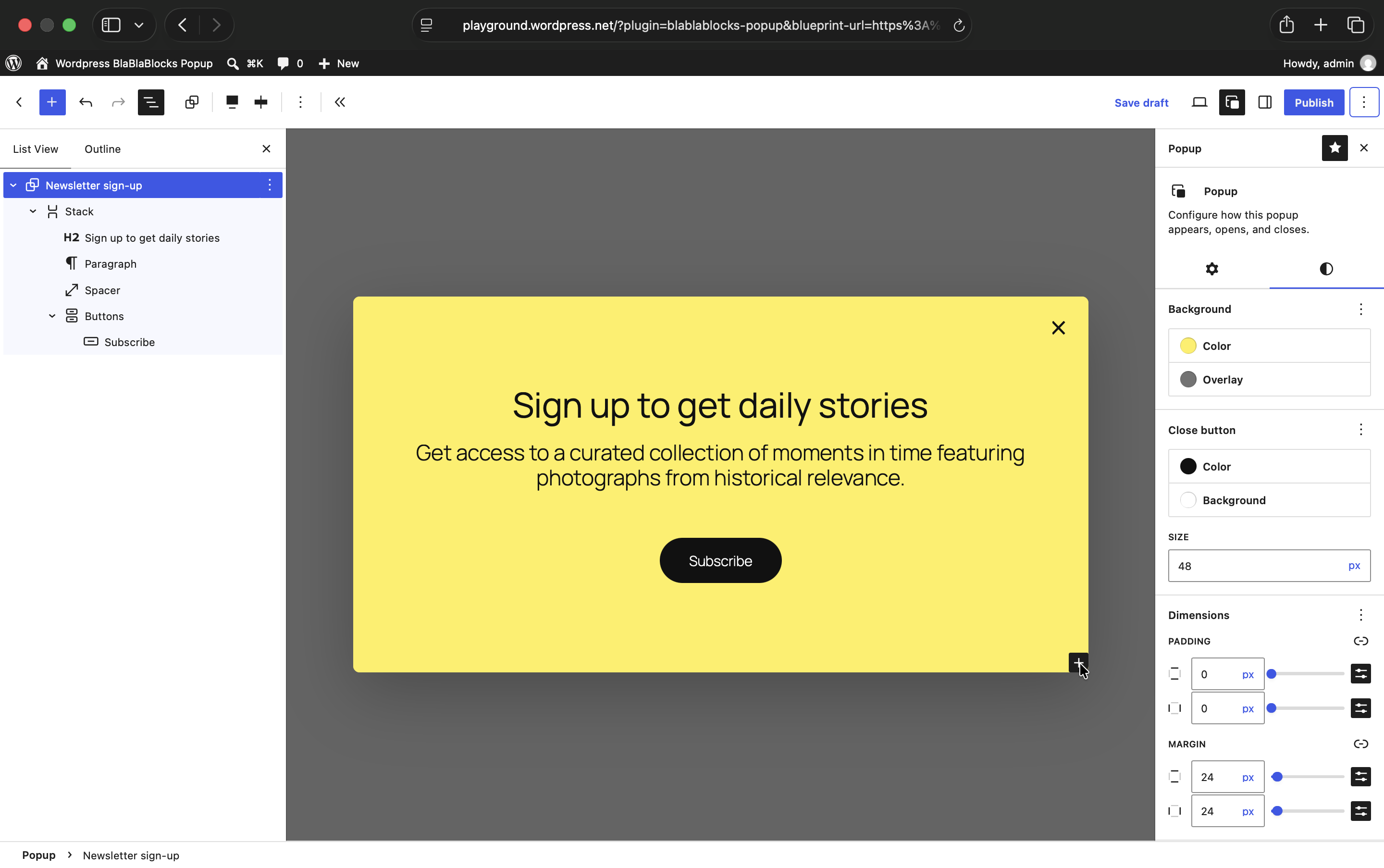
Build With WordPress Blocks
Create popup content with headings, images, buttons, forms, columns, groups, and compatible third-party blocks directly in the Block Editor.
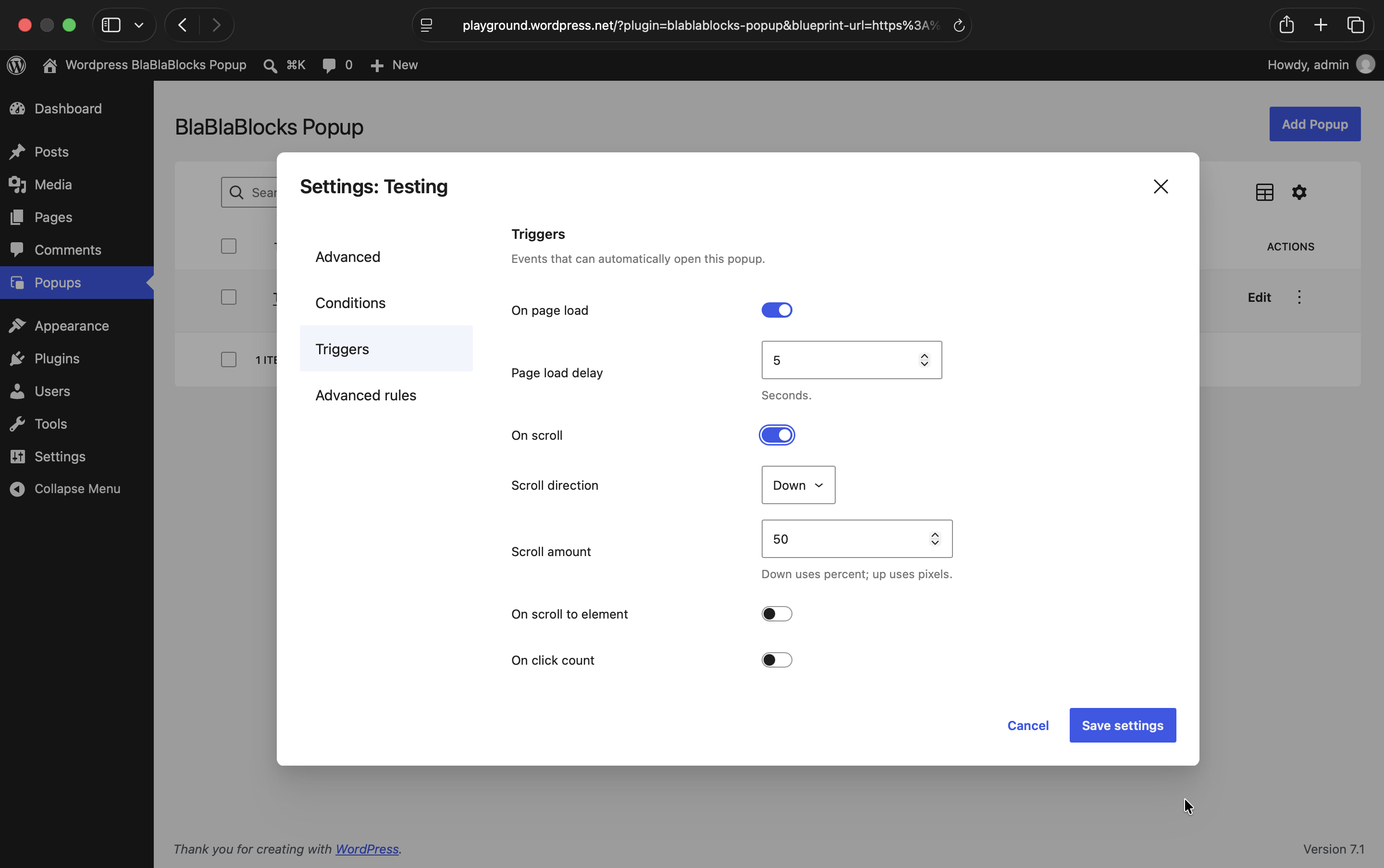
Trigger at the Right Moment
Open a popup on page load, after scrolling, on inactivity, exit intent, click count, or when a visitor reaches a specific element.
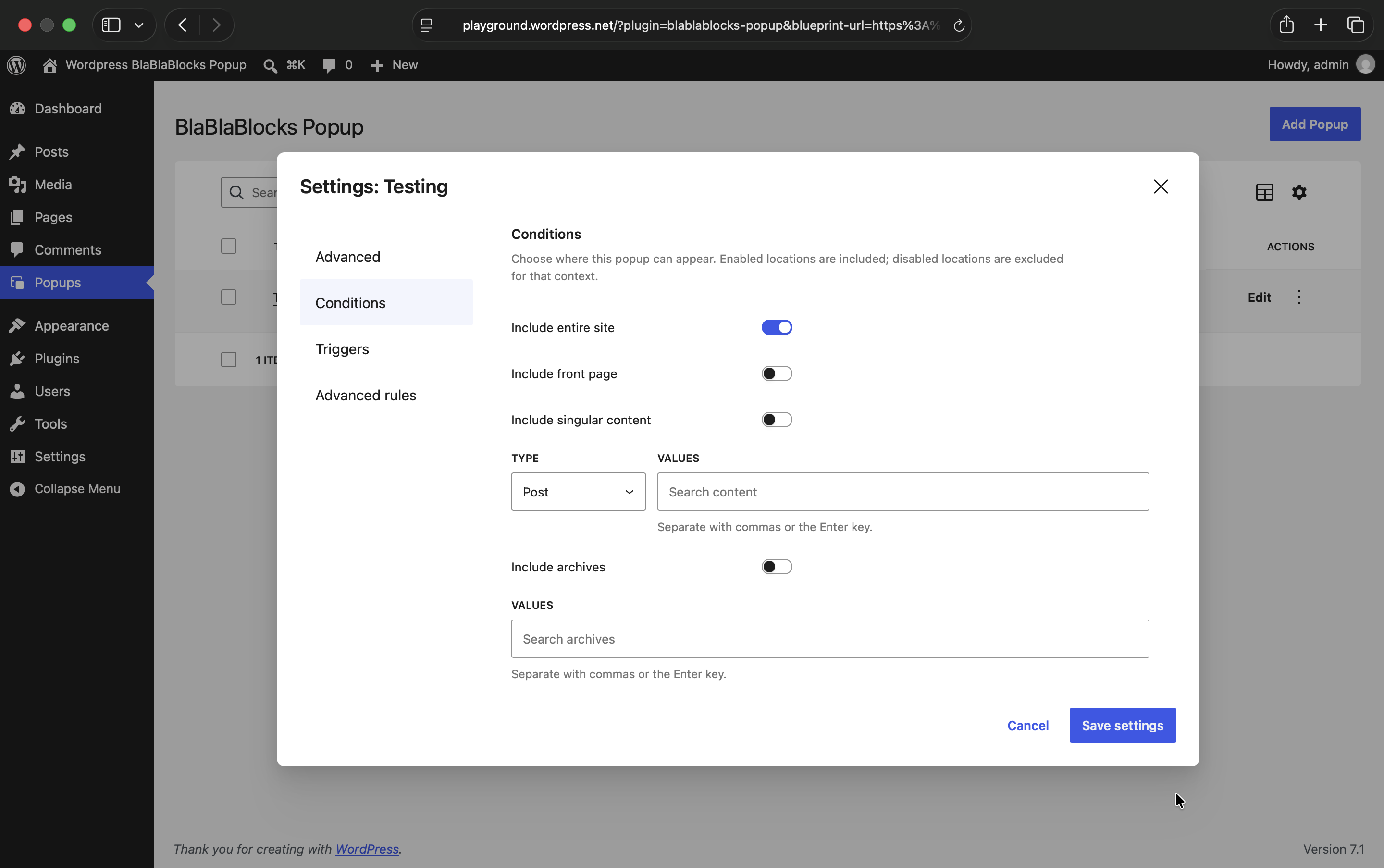
Choose Where It Appears
Show a popup across the entire site or limit it to specific pages, posts, the front page, archives, and other relevant content.
Control Who Sees It
Target by device, login status, user role, referrer, sessions, page views, or display count so visitors do not see the same popup unnecessarily.

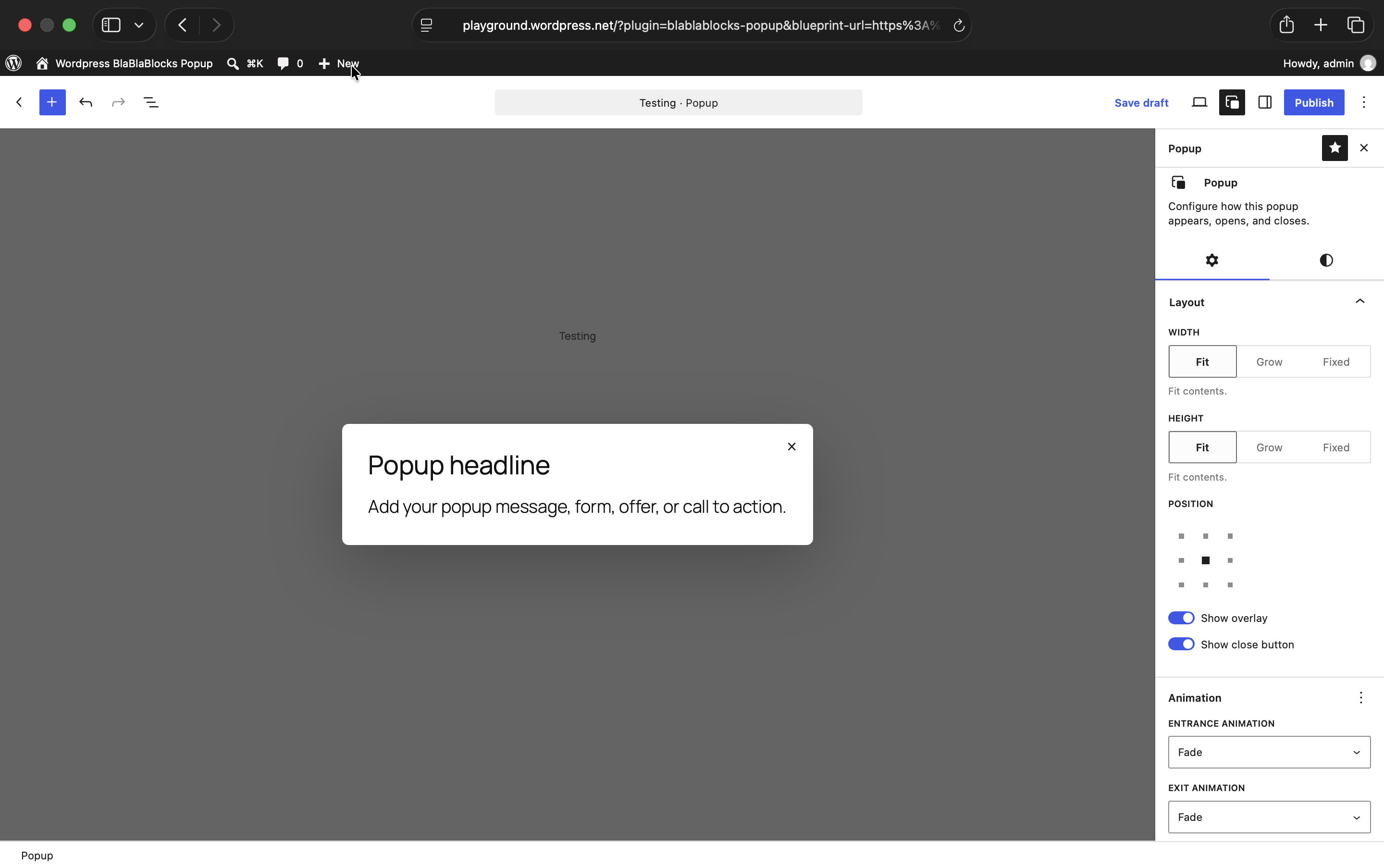
Style It to Fit Your Site
Control size, position, spacing, colours, overlay, borders, close button, and animations without building the popup in a separate design tool.
Why Choose BlaBlaBlocks
Build, target, and manage popups without introducing another builder or proprietary content workflow.
Typical Popup Plugin
– Separate builder
– Proprietary content structure
– Scattered targeting settings
– Extra frontend layer
– Licence restrictions
BlaBlaBlocks Popup
– Native Block Editor
– Use native WordPress blocks
– Flexible triggers and display rules
– Powered by modern WordPress APIs
– Free & Open-source
Built in the open
BlaBlaBlocks Popup is 100% open source under the MIT license free on unlimited sites, full source on GitHub. Found a bug or want a feature? Open an issue. Want to contribute? Pull requests are welcome.
Questions Before You Start?
Yes. Add the CSS selector of a button, link, navigation item, or other element and use it to open a specific popup on click.
Yes. Popup content is built with WordPress blocks, so you can add compatible form blocks alongside headings, images, buttons, columns, and other content.
Yes. You can exclude logged-in visitors entirely or control visibility for specific WordPress user roles.
BlaBlaBlocks Popup supports block themes as well as classic themes that work with the Block Editor. Theme styles can still influence the blocks you place inside a popup, just as they do elsewhere on your site.
Yes. You can keep a popup site-wide or restrict it to specific pages, posts, the front page, archives, and other supported content conditions.
Yes. You can limit how often a visitor sees a popup using page views, sessions, and maximum display counts. This helps avoid repeatedly interrupting returning visitors.
When multiple popups are eligible on the same page, their behaviour depends on the configured triggers and conditions. It is worth planning overlapping rules carefully so visitors are not presented with competing messages at once.
Yes. It is free and open source under the MIT licence.