
Build Responsive Sliders in the WordPress Block Editor
Create image sliders, post carousels, hero sections, and custom content sliders directly in Gutenberg without shortcodes, page builders, or a separate slider workflow.
700+
Active Installations
6k+
Total Downloads
100%
Free and OpenSource
Zero
No Shortcodes Needed
{ why blablablocks }
More WordPress. Less Slider Plugin.
Get the flexibility of a modern slider without introducing another builder, content system, or editing workflow.
Typical Slider Plugin
Separate builder
Custom slide structure
Rebuild existing content
Separate dynamic-content setup
Licence restrictions
BlaBlaBlocks Slider Block
Native Block Editor
Use native WordPress blocks
Transform existing content
Works with the Query Loop
Free & Open-source
{ key features }
Built Around the Way WordPress Already Works
Dynamic Sliders with Query Loop
Turn posts, pages, and custom content into dynamic sliders using the native WordPress Query Loop.
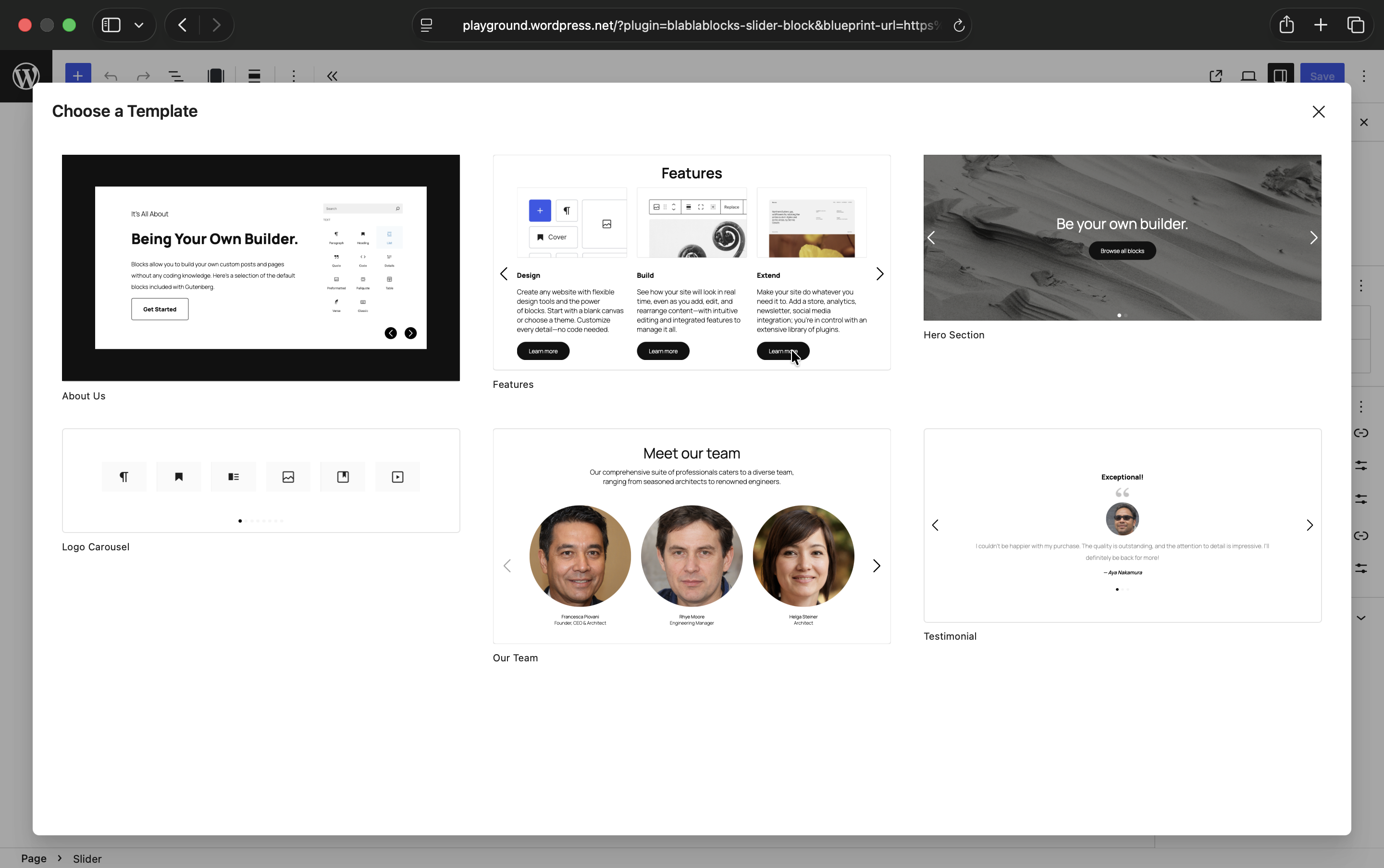
Ready-to-Use Slider Templates
Start with pre-built slider layouts and customise the content, styling, and behaviour to suit your website.

Responsive Across Every Screen
Control how many slides appear across desktop, tablet, and mobile without custom CSS.
Built with Accessibility in Mind
Built with keyboard-friendly controls, clear navigation, and accessible markup in mind.
{ open source }
Built in the open
BlaBlaBlocks Slider Block is 100% open source under the MIT license free on unlimited sites, full source on GitHub. Found a bug or want a feature? Open an issue. Want to contribute? Pull requests are welcome.
For developers managing sites via Composer:
composer require lubusin/blablablocks-slider-block
{ FAQ }
Questions About the Slider Block?
Yes, the slider works with all themes that support Gutenberg, including block-based and classic themes.
Absolutely! You can add sliders to templates, template parts, or any block pattern area.
Yes, multiple sliders are fully supported, and each instance maintains its own settings.
Yes. Query Loop support lets you turn posts, pages, and custom post types into dynamic carousels. You can control the content query and customise the layout using native WordPress blocks.
In the block sidebar, you can toggle autoplay on/off and configure delay and transition speed.
Yes, Slider Block supports swipe gestures on mobile and tablet devices by default.
The plugin is designed to keep frontend overhead low and only load its slider assets when the block is used on a page. Overall performance will still depend on your theme, hosting, image sizes, and the content added to each slide.
Yes. It is free and open source under the MIT licence.
{ MORE FROM BLABLABLOCKS }
Beyond the Slider Block


WordPress isn’t just a CMS – it’s your business engine.
Whether you’re launching a brand new site, rescuing a legacy project, or scaling an existing platform, we become your extended team, not just another vendor.